| Address Books |
  
|
| Address Books |
|
The Address Books are accessed by pressing the  button at the lower left of the Main Window
The setting under General Preferences can be used so that on startup, MailCOPA will open the Addresses area.
It is possible to have multiple address books, each of which can be kept private (availability determined by the creator), or public (available to selected other users - see the Sharing tab).
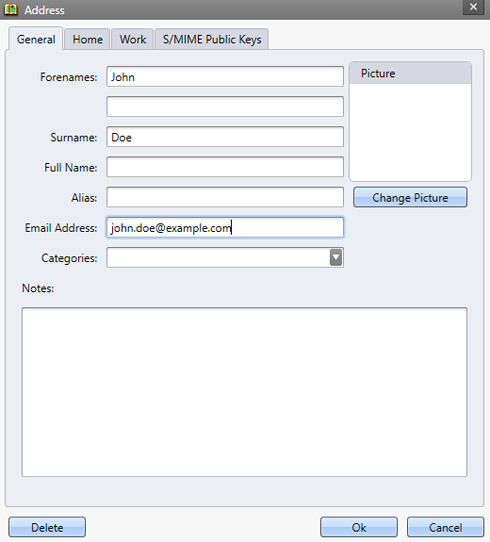
Addresses can be imported into MailCOPA from 'Comma Separated Values' (CSV) files, or a number of other formats, from Wizards  Import Mail/Addresses ...
Address books can be exported from MailCOPA as CSV files from the main Address Books view.
Entries may be moved or copied between Address Books using Drag and Drop.
When copying an address a new address entry is not created, just a link to the address, which will remain until the last deletion from an Address Book, when the address entry will be completely deleted.
•To MOVE an address, just drag and drop.
•To COPY an address, hold Ctrl and drag
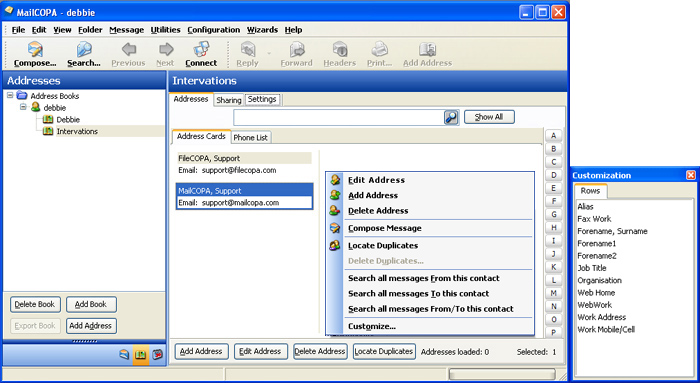
There is a simple search for the currently-selected Address Book, and a wider search of all Address Books at once. For the latter, click the Search button on the toolbar. See the graphic below.
Click HotSpots on the images below for further information - the image also shows the context menu (right-click).
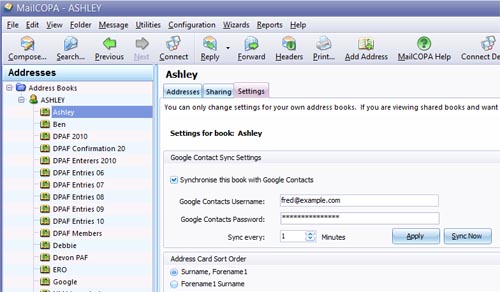
Here, the Sort Order for the Address Cards can be set, and synchronisation with Google Contacts enabled and configured.
Each Address Book is configured separately, so settings for different books can be completely different.