| Preferences: Spelling |
  
|
| Preferences: Spelling |
|
Accessed from Configure  Preferences Spelling
Currently there is no facility to do a spell check on a completed message: spellchecking is done automatically as you type.
When enabled,  words will be automatically underlined in red.
Right-clicking on a word produces a context menu with suggestions of the correct spelling of what might be the intended word.
Email addresses (ie words that include an at sign - @) will not be spell-checked.
Click a HotSpot on the image below for further information.
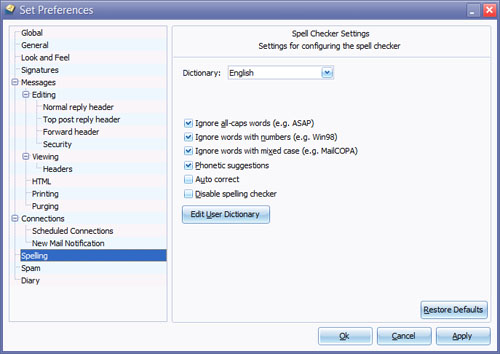
If autocorrection is enabled, misspellings contained in the built-in list will be automatically corrected, without user intervention - it will also be impossible to enter such misspellings without their being auto-corrected !